

Tag: 2027 afsp
How to complete the IRS Annual Filing Season Program (AFSP): A Step-by-Step Guide
Program Overview
The IRS Annual Filing Season Program (AFSP) is the current voluntary tax competency program facilitated by the Internal Revenue Service. It is a yearly tax knowledge program for unenrolled preparers who wish to obtain the AFSP Record of Completion and the benefits therein.
The educational portion of the IRS AFSP program consists of continuing education courses and an Annual Federal Tax Refresher (AFTR) exam which total 18 credit hours upon completion. There are 6 credits given for passing the exam. 2 credit hours are required to be in Ethics. The remaining 10 credit hours can be from general tax law or tax law updates. In addition to the IRS continuing education courses and exam, the program participant must renew their PTIN for the current year and agree to abide by Circular 230 before the year end.
Not all tax professionals need to complete the aforementioned educational requirements. Some tax professionals are considered "Exempt Preparers" for AFSP purposes. Exempt preparers include enrolled tax professionals such as CPAs and Enrolled Agents, state regulated tax preparers, tax preparers who took and passed the first RTRP exam.
Process Overview
- Purchase and complete a qualified IRS AFSP Package from an IRS-approved provider. Provider will report credits to the IRS.
- Verify credits reported inside your IRS PTIN portal.
- Renew PTIN for coming tax year.
- Agree to abide by Circular 230.
- Check PTIN message center for acceptance letter and AFSP Record of Completion.
Complete IRS Continuing Education
Log into your student portal. On your student dashboard, you will see icons representing the various sections of your portal.
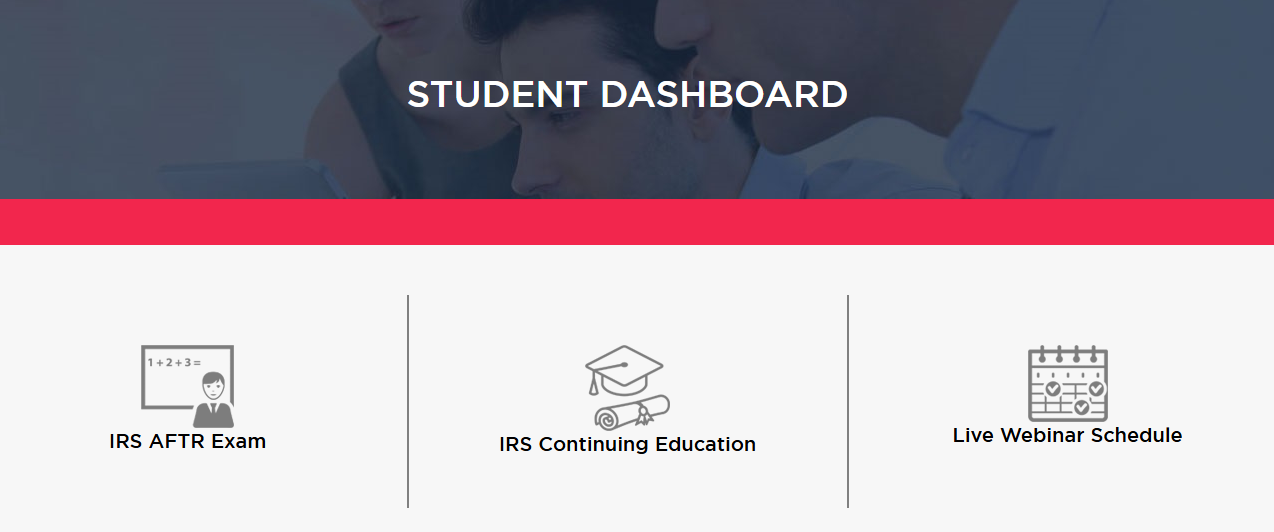
The center icon will take you to the student training library. You will see the green banner with tax training categories listed as it appears below. The red arrows indicate the relevant sections for completing the IRS AFSP program.

When you hover your mouse over the category title, the course menu will drop down. Select your course from the drop down menu. The course page will appear like the one below showing the course title, the credits available for passing and the passing grade.
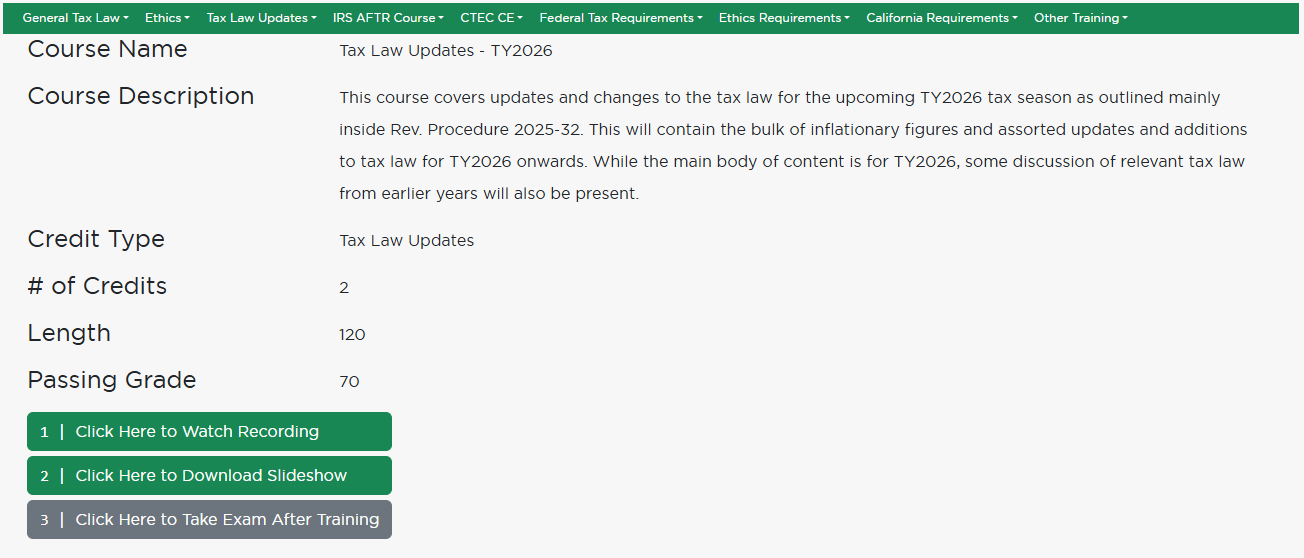
Step 1. Watch the recording. Step 2. Download slides (if desired). Step 3. Take quiz. You cannot take the quiz until the whole video recording has been watched. After passing the quiz, credit will be issued for this course.
Repeat this process of selecting and completing courses until you have met your 12 credit requirement.
Complete the IRS AFTR Exam
Now that we've completed the first 12 continuing education course hours, it's time to complete our IRS AFTR exam for our remaining 6 credits. Let's go back to the dashboard. This time, we are looking for the IRS AFTR exam.
Click on the icon to the left. The course page will load like the image below.
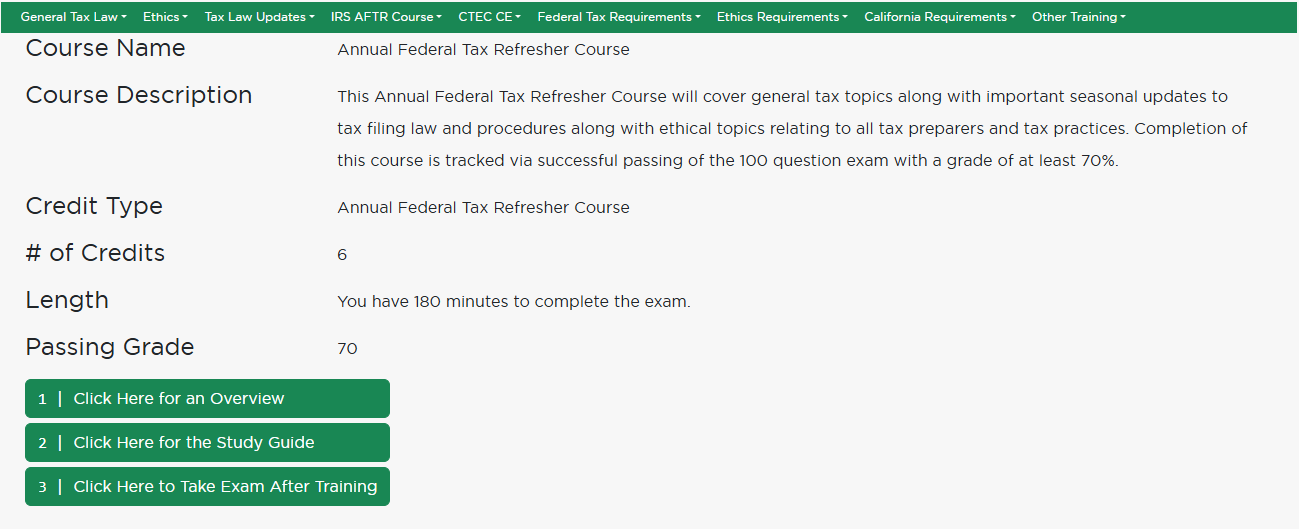
After taking and passing the IRS AFTR exam, 6 continuing education credits will be issued and you will have met your remaining credit requirements for participating in the IRS Annual Filing Season Program.
Verify Your Credits Were Reported
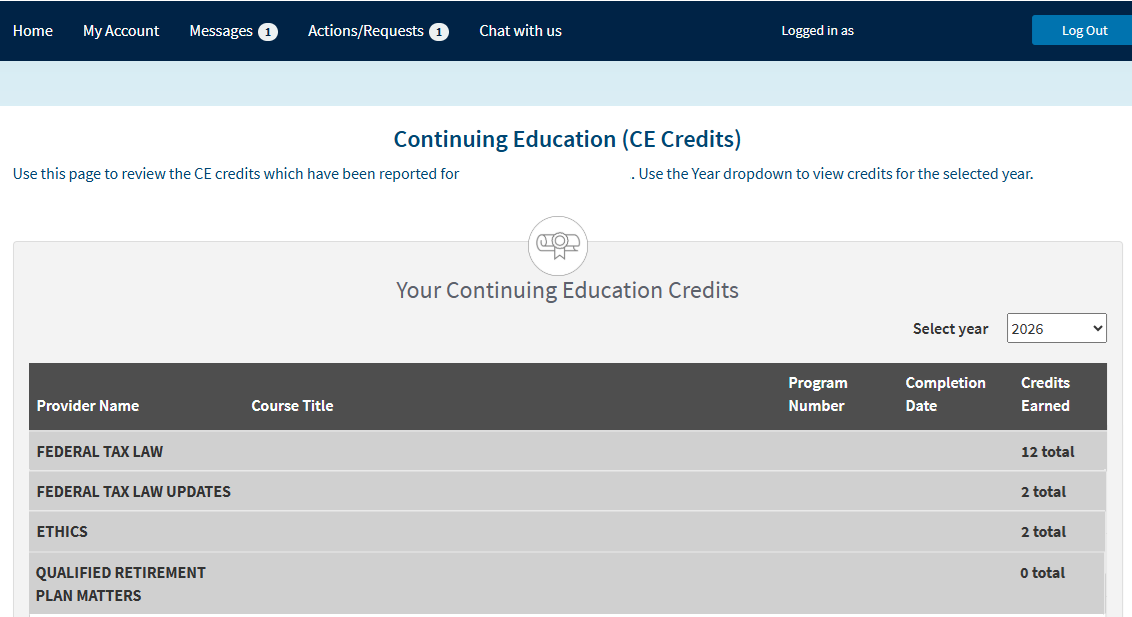
Ensure that all of your IRS continuing education credit was reported. You can login to your IRS PTIN Portal at https://rpr.irs.gov/ptin to verify the reported credits. Check to see if any completed courses are missing. When you are satisfied, proceed to renew your PTIN for the coming tax year.
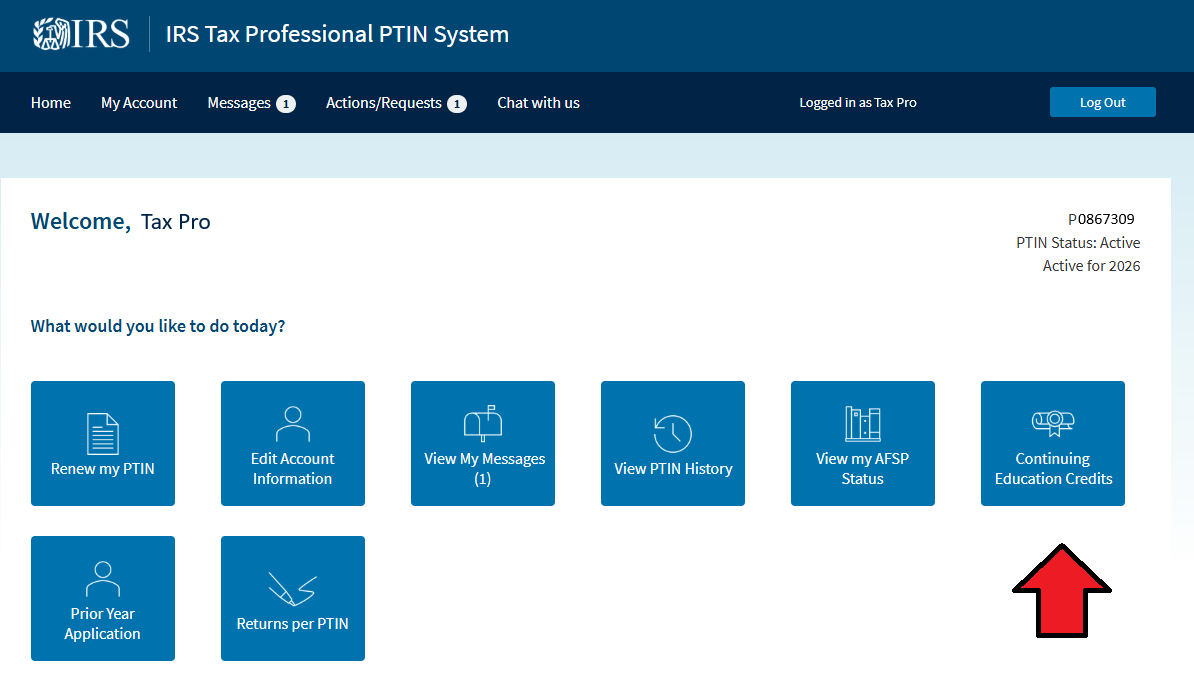
You will see a list of each course taken with associated credit reported. Total credits will be tabulated.
Renew Your PTIN
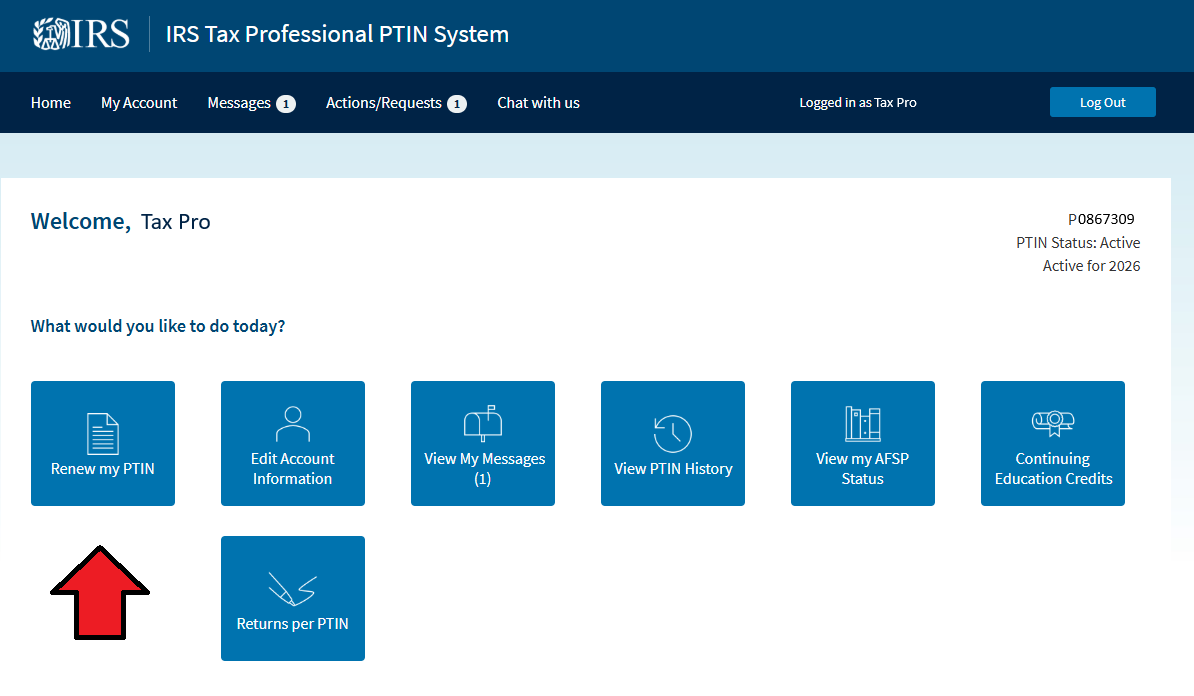
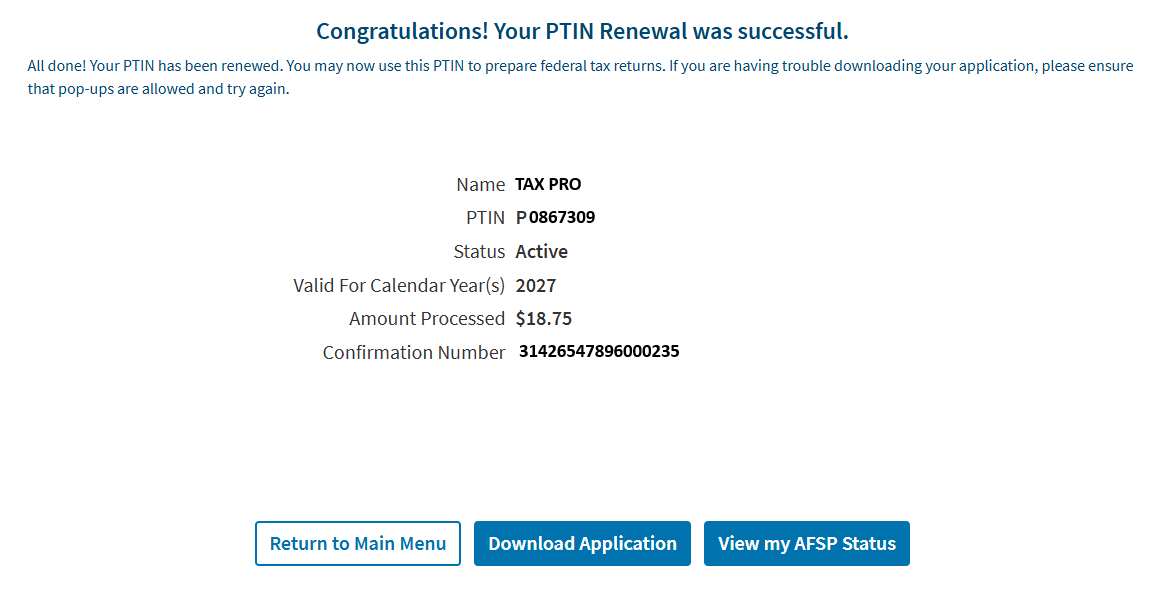
After selecting "Renew my PTIN" you will be taken to your renewal application that is pre-filled with your prior year information. Update the application as you go. You will pay the 2027 PTIN fee of $18.75 upon application submission. You will get a payment confirmation.
Agree to Circular 230
An important part of the IRS Annual Filling Season Program is agreeing to abide by Treasury Circular 230 rights and responsibilities.
Check for Record of Completion
After having met the requirements, the IRS will make your AFSP Record of Completion available to you. You will find it in your message center in your PTIN portal.
 Author Tina HarveyPosted on Categories IRS AFTR COURSE